Gradebook for Teachers: Paper, Spreadsheet, or App?
Updated · Written to our editorial standards
Every teacher keeps a gradebook, and most keep two: the official one the school reports from, and a working one where marks land first. Choosing a gradebook is really choosing that working copy — paper, a spreadsheet, or the grades screen of a class platform — and deciding how it turns scores into a grade. That second decision matters more than the tool, because the same scores can produce a B in one system and a C in another, as the worked example below shows.
This guide covers the three options, the arithmetic behind total points and weighted categories, what to do about zeros, and how to mark faster so the gradebook stays current.
Your gradebook of record and your working gradebook
Most districts keep grades in a student information system — PowerSchool, Infinite Campus and Skyward are three widely used providers — and that system is the record report cards and transcripts come from. If your school requires grades there, everything else you keep is a working copy: useful, but not the record. Find out early how often marks must be entered, because a working gradebook that is weeks ahead of the official one is how report-card week becomes a crisis.
Grades are also records families can ask about. Under FERPA, the federal student-records law, parents have the right to access their children's education records and to seek corrections, and those rights pass to the student at 18. Write every entry, and every comment beside it, as if a parent will read it, because one may.
Option 1: a paper grade book
A paper record book needs no login and no battery, and it is the fastest way to record a mark while walking the room. Set it up with one row per student, one column per assignment, and the date and points possible written at the top of each column. Agree a small set of symbols and keep a key on the inside cover — M for missing, L for late, E for excused — and enter marks in pencil until the assignment is closed.
The weaknesses are the arithmetic, which you do by hand, and the lack of a backup. Photograph the pages every Friday; a lost grade book in June is several months of work gone.
Option 2: a spreadsheet
A spreadsheet does the arithmetic for you and costs nothing: Google Sheets comes with a Google account, and Microsoft offers free Word, Excel and PowerPoint on the web to anyone not covered by its school plan (Microsoft's own page, 2 October 2026). A layout that works:
- One row per student, one column per assignment.
- A row above the students for points possible, and a row labelling each column's category.
- A column per category that divides the points earned by the points possible, then a final column that combines the categories.
One spreadsheet habit catches teachers out. AVERAGE ignores empty cells but counts zeros, so a missing assignment left blank silently does not count against the student at all, while the same assignment entered as 0 counts in full. Decide which you mean and enter it deliberately, every time.
Two formulas do almost all the work, and both behave the same in Google Sheets and Excel. Say a student's homework scores sit in C4 to H4, with the points possible for those assignments in row 3. Their homework average is =SUM(C4:H4)/SUM(C$3:H$3), and the dollar signs keep row 3 fixed when you copy the formula down the class. If the category averages then sit in J4 to L4 and the weights in J2 to L2, written as decimals that add up to 1, the final grade is =SUMPRODUCT(J4:L4,J$2:L$2). Format both cells as percentages and the sheet reads the way a report card does.
Option 3: your class platform's gradebook
If your class already runs on a platform, its gradebook may be the least work, because marks from online quizzes arrive without retyping. Google Classroom, for example, offers three grading systems: Total points, Weighted by category, and No overall grade, with grade categories required for the weighted option (Google's help pages, 2 October 2026).
The cost is that your record now lives inside someone else's product. Export it at the end of every term; our guide to free online teaching platforms explains why a free platform is never the only place work should be kept.
Total points or weighted categories: a worked example
Here is one student's term, scored both ways. The scores are identical; only the method changes.
| Category | Points earned | Category average | Weight |
|---|---|---|---|
| Homework | 180 of 200 | 90% | 20% |
| Quizzes | 35 of 50 | 70% | 30% |
| Tests | 105 of 150 | 70% | 50% |
| Total points method | 320 of 400 | 80% | — |
| Weighted method | — | 74% | — |
Under total points the student gets 80%; weighted, 74% — a B or a C on the common scale where 80 and above is a B. The reason is that total points lets the category with the most points possible dominate, and here that is homework, the student's strongest area. Weighting lets you decide how much each kind of work counts instead of letting the number of points decide for you.
Neither method is wrong. The mistake is switching partway through a term, or not telling students and families which one you use. Write it down on the first day.
Zeros, late work, and missing assignments
On the common 100-point scale, the A, B, C and D bands are each ten points wide while the F band is sixty, so a single zero pulls hard. Four scores of 90 and one zero average 72; replace the zero with a 50 and the average is 82. Douglas Reeves made the case against the zero in a 2004 Phi Delta Kappan article, The Case against the Zero, arguing that the real question is what consequence actually fits a missing assignment.
Teachers and schools answer that question differently: recording missing work as M until a deadline and then applying a policy grade, setting a minimum score, or requiring the work to be completed rather than accepting a zero in its place. Follow your school's policy where there is one, apply it the same way to every student, and put it in writing.
A weekly routine that keeps it current
Whatever the tool, a gradebook is only as useful as it is current. A short routine keeps it that way:
- Enter marks on the day you check the work, not at the end of the week.
- Once a week, scan each column for blanks and decide which are missing work and which are excused.
- Every few weeks, sort by the weakest category to see who needs help before the report card says so.
- Copy the working gradebook into the official system on the schedule your school sets.
Grade faster: let the answer key do the work
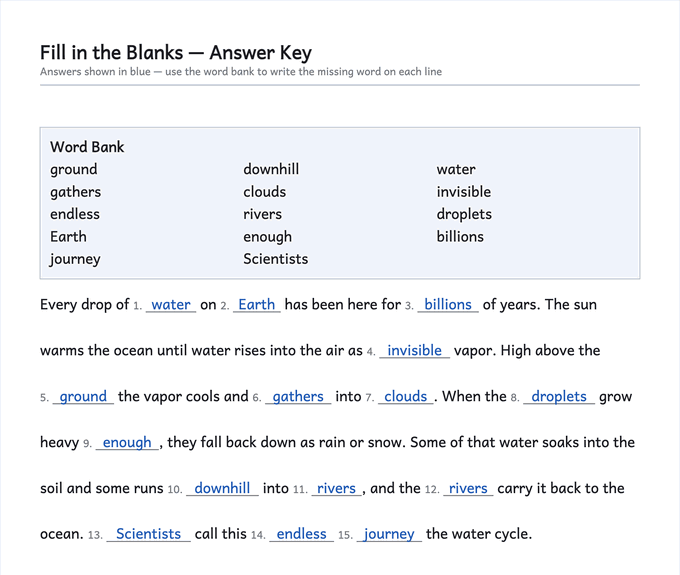
The gradebook stays current when marking is quick, and marking is quick when the key is ready before the sheet is handed out. Sheets that print with their own answer key on the last page cut checking to a glance down the page. The fill-in-the-blank worksheets generator prints a key with every missing word restored in place, and multiplication worksheets come with the answers on page two.
Weekly spelling tests are the other quick win: a numbered test sheet from the spelling worksheets generator gives one clean score per student per week, which is exactly the shape a gradebook column wants. And not every sheet needs a column at all: practice can be checked together in class and marked complete, which saves the gradebook for the work that actually measures what a student has learned.
Frequently asked questions
What is the best gradebook for teachers?
If your district requires grades in its student information system, that is your gradebook of record. For a working copy, the best choice is the one you will actually keep up to date: paper for speed in the room, a spreadsheet for automatic arithmetic, or your class platform's gradebook if your quizzes already live there.
How do I calculate a weighted grade?
Work out the student's average in each category, multiply each average by its weight, and add the results. With homework at 90% weighted 20%, quizzes at 70% weighted 30% and tests at 70% weighted 50%, the grade is 18 + 21 + 35 = 74%.
Is total points or weighted grading better?
Neither is better in general. Total points lets the categories with the most points dominate; weighting lets you set how much each kind of work counts. Pick one, tell students and families at the start, and do not switch mid-term.
Does Google Classroom have a gradebook?
Yes. Google Classroom offers Total points, Weighted by category, and No overall grade as grading systems, according to Google's help pages on 2 October 2026.
Should I give a zero for missing work?
Follow your school's policy first. On a 100-point scale a zero is a heavy penalty — four 90s and a zero average 72 — which is why many teachers record missing work as M until a deadline, or set a minimum score instead.
Can parents see my gradebook?
Grades are education records, and under FERPA parents have the right to access their children's education records. Write every entry as if a parent will read it.