Free Online Teaching Platforms: What Each One Does
Updated · Written to our editorial standards
Search for a free online teaching platform and you get one list that mixes three different kinds of tool: a place where assignments live, a room for live video lessons, and a site full of ready-made practice. Most teachers need one of each, and they are rarely the same product. This guide sorts the free options by the job they do, says plainly what the free version includes and who the account belongs to, and covers two questions that usually get skipped until they matter: who has to approve a tool before students use it, and what happens to your work if the platform closes.
Every product detail below was read off the provider's own pages on 2 October 2026. Free tiers change without much notice, so check the current terms before you build a term's teaching around one.
Three kinds of platform, three different jobs
A class hub, often called a learning management system, is where you post assignments, collect work, and keep track of who has handed in what. A live room is video conferencing: essential for remote lessons, useful for absent students and parent meetings, and irrelevant on an ordinary day in a classroom. A practice platform supplies the content itself — lessons, exercises, and progress tracking that you assign rather than write.
Keeping the three apart saves a lot of wasted comparison. A school that hands out its own accounts has usually settled the first two jobs already, and what a teacher actually chooses is a practice site or two, plus printables for the work that belongs on paper.
Class hubs: where assignments live
Four names cover most free class hubs. The table describes each one the way its provider does; the last column, whose account it is, settles more decisions than any feature list.
| Platform | What is free | Whose account |
|---|---|---|
| Google Classroom | Part of Google Workspace for Education Fundamentals, no cost for qualifying institutions, with Meet, Forms, Docs and Drive | The school's, set up by its administrator |
| Microsoft Teams for Education | Part of Office 365 A1, free for educators and students with an eligible school email address | The school's |
| Canvas Lite | A free Canvas account for a teacher with no school licence; the renamed Free for Teacher | Yours |
| Moodle | Open-source software, free to download and run yourself; hosted MoodleCloud plans are paid, with a free trial | Whoever hosts it |
Seesaw, common in elementary schools, works differently: its pricing page says licences are sold only to schools and districts, and it offers no paid teacher licence. If your school has it, use it; it is not something to sign up for on your own.
The practical rule is simple. If your school provides Google or Microsoft accounts, use the hub that comes with them. Students already have the logins, someone already supports it, and their data sits under an agreement the district has signed. Canvas Lite and Moodle earn their place where there is no school system at all: a tutor, a homeschool co-op, a teacher piloting a course.
Live lessons: the video room
Google Meet comes with Google Workspace for Education, and Teams has video built in, so a school on either already has a live room. For a teacher working alone, Zoom's free Workplace Basic plan hosts meetings for up to 100 participants, each capped at 40 minutes — the limits on Zoom's free-plan page on 2 October 2026. Forty minutes is shorter than many class periods, so plan a break and a fresh link, or keep live time for direct teaching and send the practice offline.
Whichever tool you use, live video is the part of a remote lesson that costs the most attention. Short live segments with independent work between them hold a class better than a full period of talking heads, and they are kinder to families sharing one device.
Practice platforms, and what belongs on paper
Khan Academy is the obvious place to start: a nonprofit practice platform that lets teachers assign standards-aligned practice and track each student's progress, with no paywalls and no ads, in the words of its teachers page on 2 October 2026. In June 2024 it announced that Khanmigo, its AI teaching assistant, would be free to teachers. Quiz games and quick-check apps sit alongside a platform like this rather than replacing it; the apps for teachers guide sorts those by the job they do.
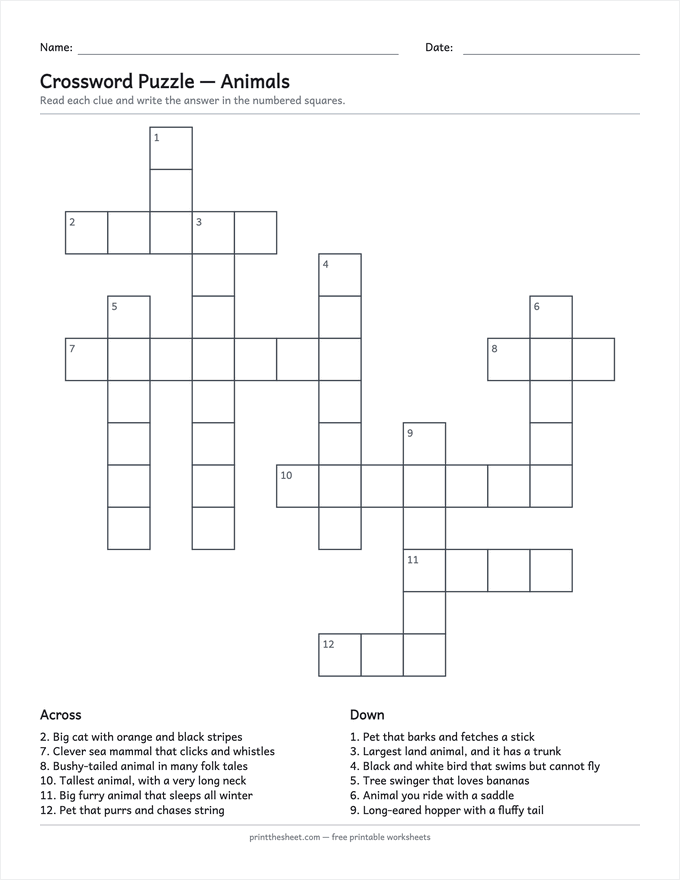
Not every kind of practice belongs on a screen. Vocabulary, spelling, and fact practice often go better on paper, where a child can circle, cross out, and come back to a word. Every class hub above accepts a PDF attachment, so the two combine well: build a crossword from the week's words with the crossword puzzle maker, or a draw-a-line sheet with the matching worksheets generator, then attach the file to the assignment for anyone working at home while the class gets printed copies.
Three setups that cover all three jobs
Put together, most teachers land on one of three combinations. Each covers the class hub, the live room and practice without paying for anything:
- A school on Google Workspace for Education: Classroom for assignments, Meet for live lessons, Forms for quick quizzes, Khan Academy for practice, and printables attached as PDFs.
- A school on Microsoft 365: Teams for Education for assignments and live lessons in one place, Khan Academy for practice, and the same printables posted into each class team.
- A tutor, homeschool co-op or teacher with no school system: Canvas Lite or Moodle as the hub, Zoom's free plan for live sessions of up to 40 minutes, and Khan Academy for practice.
Resist adding a fourth platform for a single feature. Each new login is one more thing for a seven-year-old to forget and one more place a parent has to check, and the extra feature is rarely worth that cost.
Before students sign up: who approves the tool
The free account a teacher can open in a minute is the one most likely to cause trouble later. Under the federal children's privacy law, a service can rely on a school's consent in place of a parent's only for the school's own educational use, and the Federal Trade Commission's COPPA guidance recommends that schools or districts, rather than individual teachers, decide whether a service's data practices are appropriate. The Department of Education's guidance on online educational services (2014) covers the same ground from the student-records side. Four questions to answer before a class signs up:
- Is the tool on your district's approved list? Many districts keep one; if yours does not, ask before creating student accounts.
- Does it use student information for anything beyond the service itself, such as advertising? If so, the school cannot consent on parents' behalf.
- Can the school review, and delete, what it collects?
- Can you export your materials and grades if you leave?
A printable has none of these questions attached. A worksheet built in the browser and handed out on paper collects nothing from the child who completes it.
Free platforms close: keep your own copies
Edmodo was one of the most widely used free class platforms in K–12 for over a decade. It announced its closure in August 2022 and shut down on 22 September 2022, leaving teachers a few weeks to move years of material. Nothing about a platform's size protects you from that, and a free tier can be withdrawn faster than a paid product.
It happens to big names too. Flip, Microsoft's free video-discussion app for classrooms (formerly Flipgrid), was retired in October 2024, with its videos deleted and similar features folded into Teams for Education.
The defence is cheap. Keep master copies of your materials in files you own, export your grades at the end of every term (the gradebook guide covers keeping a working copy), and treat any platform as the place work is delivered, never the only place it is stored.
Frequently asked questions
What is the best free online teaching platform?
There is no single answer, because the platforms do different jobs. If your school provides Google or Microsoft accounts, the class hub that comes with them is usually the right choice. Teachers without a school system often use Canvas Lite or Moodle, Zoom's free plan for live lessons, and Khan Academy for practice.
Is Google Classroom free?
For schools, yes. Classroom is part of Google Workspace for Education Fundamentals, which Google lists as no cost for qualifying institutions (checked 2 October 2026). The accounts are set up and managed by the school.
Can a teacher use Canvas without a school license?
Yes. Instructure offers Canvas Lite, a free Canvas account for individual teachers that does not need a school licence. It was previously called Free for Teacher.
How long can a free Zoom meeting last?
On Zoom's free Workplace Basic plan, meetings are capped at 40 minutes with up to 100 participants, as listed on 2 October 2026. Paid plans extend the limit.
Do I need permission to use a free app with my students?
Usually, yes. The Federal Trade Commission recommends that schools or districts decide whether a service's data practices are appropriate, rather than leaving it to individual teachers. Check whether your district keeps an approved list before creating student accounts.
What happened to Edmodo?
Edmodo shut down on 22 September 2022, after announcing the closure that August. Microsoft's Flip followed in October 2024. Both are good reasons to keep your own copies of anything you build on a free platform.